Calendar, sessions & billing
Plan the week. Finish the session. Keep billing clear.
Use the calendar for appointments, Sessions for visit documentation and next steps, and Billing for invoices and superbills.
Start 14-day Pro trialNo credit card. After 14 days, your account moves to Free unless you choose and purchase a paid plan.
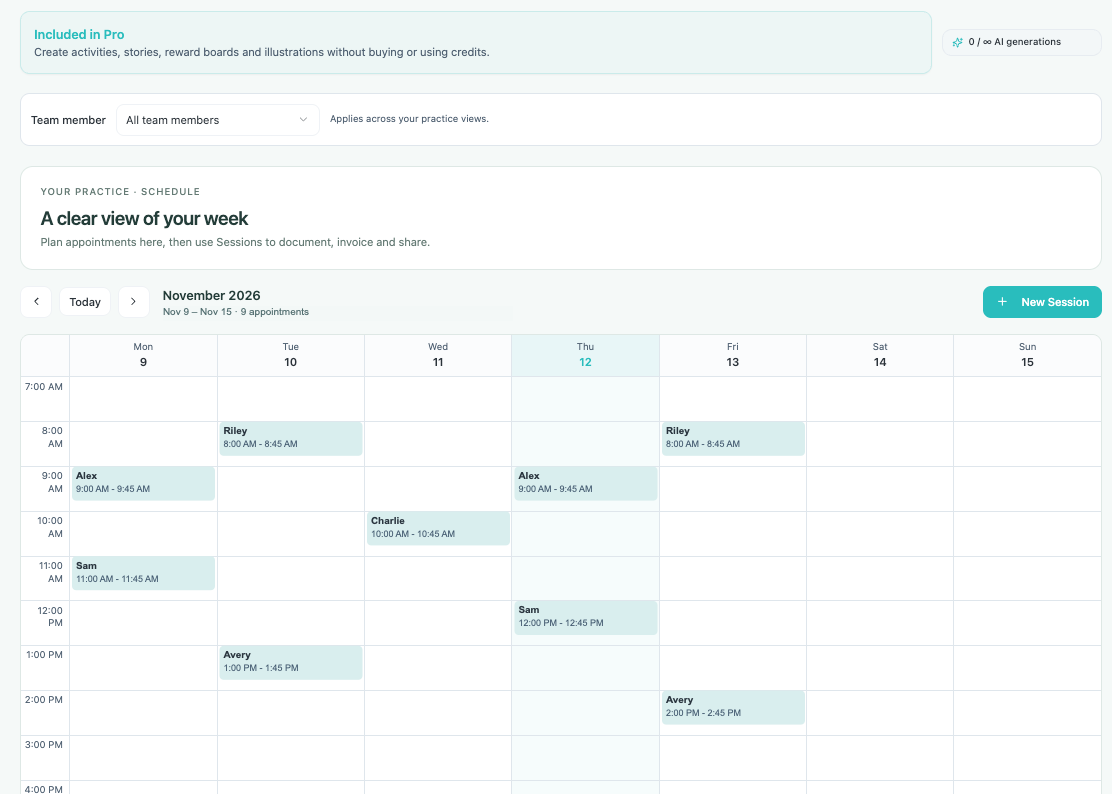
See your appointments across the week.
Add sessions to the weekly calendar and open a scheduled visit to review or edit it. Team assignments help keep each clinician’s calendar organized.
- Weekly appointment view
- New-session and edit controls
- Team member filtering
Weekly calendar
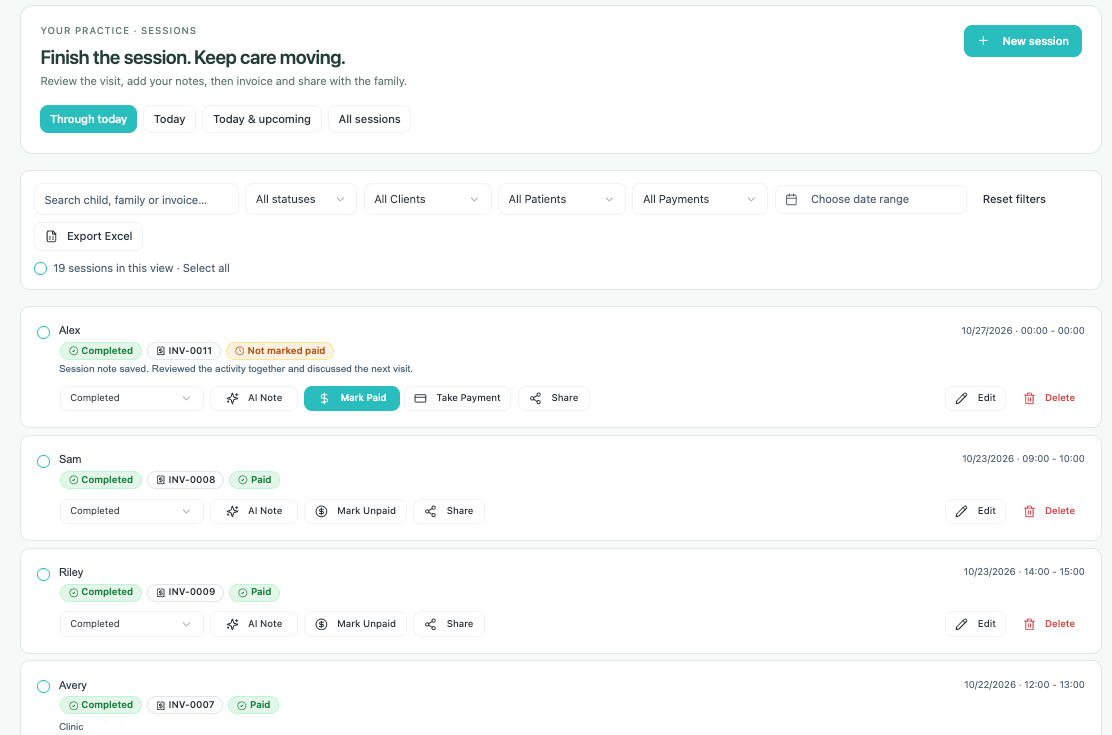
Keep the visit and its next steps together.
Find sessions by child, family or invoice, and filter the list by status, dates and payments. Add notes, generate invoices, take payments and share with parents.
- Session notes and AI note assistance
- Invoice and payment actions
- Parent sharing and session export
Session management
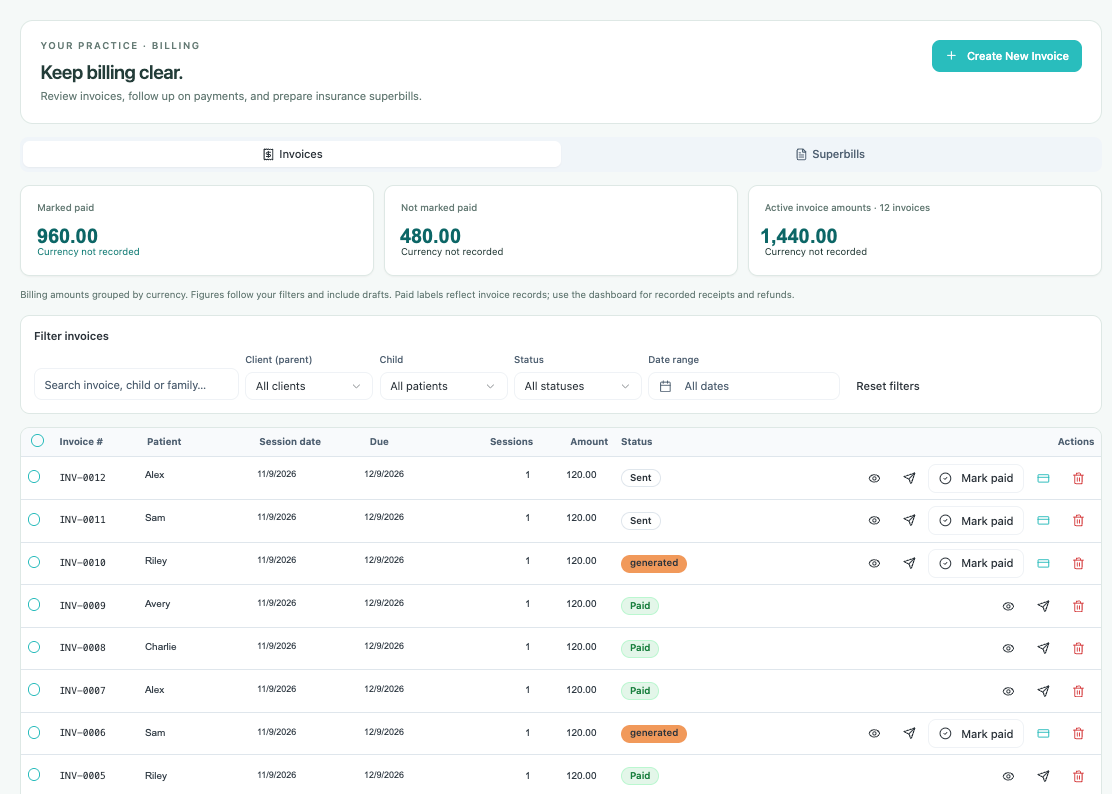
Review invoices, payments and superbills.
Use Billing to search and filter invoices, follow up on outstanding amounts and prepare insurance superbills. Invoice status and payment actions are visible beside each record.
- Invoice and superbill tabs
- Filters for family, child, status and date
- Invoice previews, sending and payment actions
Billing
Find the right plan for your practice.
Compare features and limits for Free, Solo and Pro.
Compare plans